Zoho Assist empowers businesses across the globe with secure cloud-based remote support and remote access software to deliver top-notch customer support experience. Establish secure web-based, on-demand connections with remote PCs, laptops, mobile devices, and servers with ease. Elevate your remote support experience with the industry's best remote support solution.
TABLE OF CONTENTS
Setting up Zoho Assist for PC:
1. Screen sharing invitation:
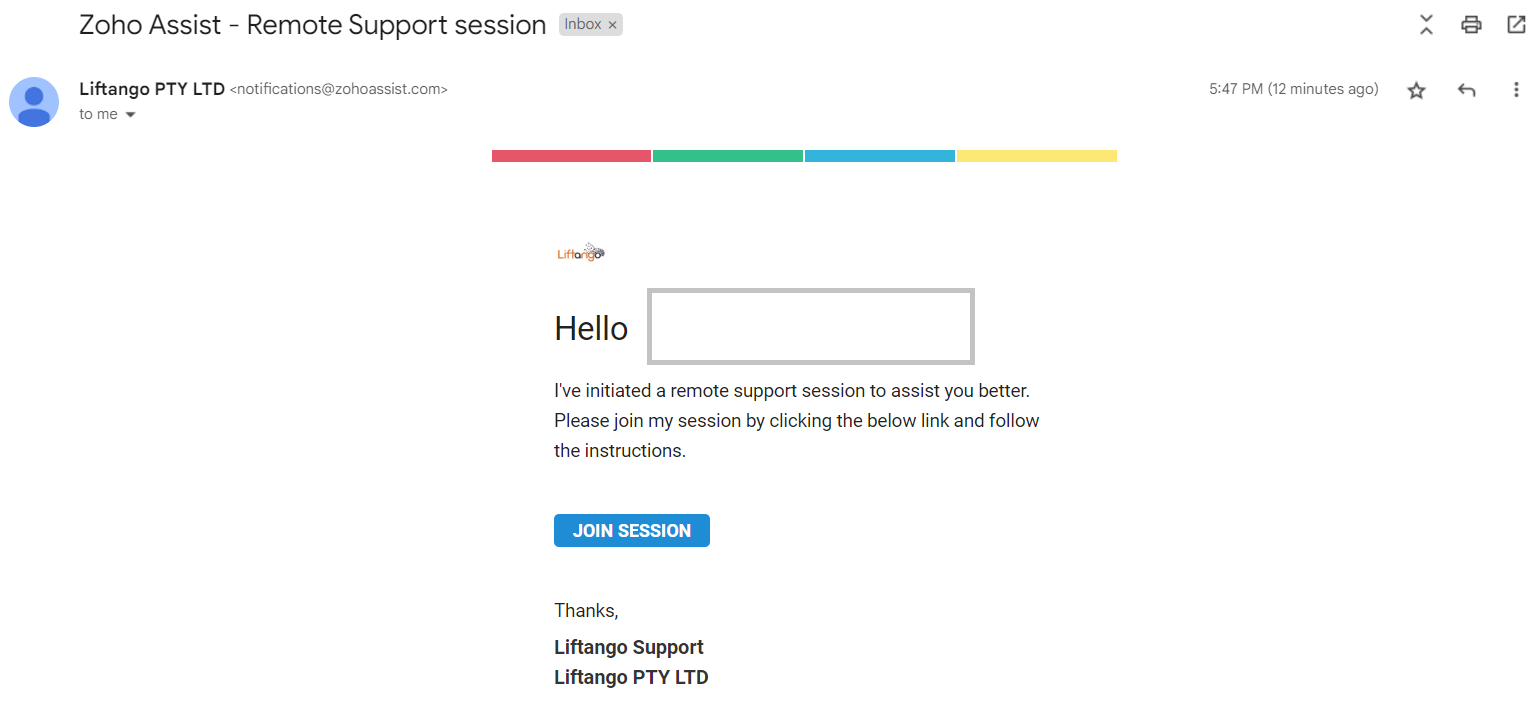
The remote support session will be initiated by the technician. The technician may give you the link directly, or through your email. If sent through email, below is how it would look.
Click "JOIN SESSION".
2. Joining in:
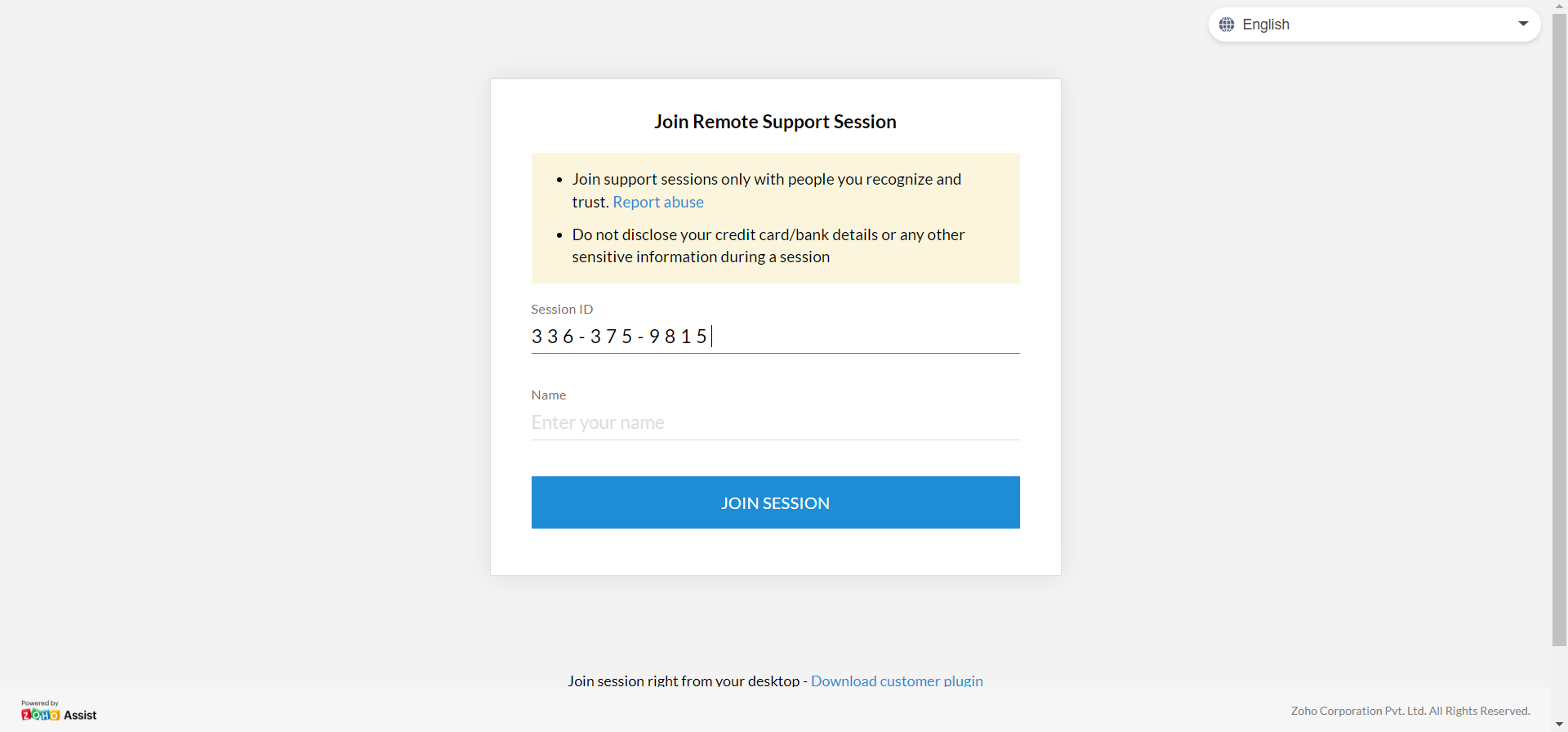
For either choices, the link sent would look like this. Clicking the email would automatically fill out the session ID, manually sending the link would too. If not, input the Session ID that should be provided by the Technician and your name, then click “JOIN SESSION”.
3. Downloading the app:
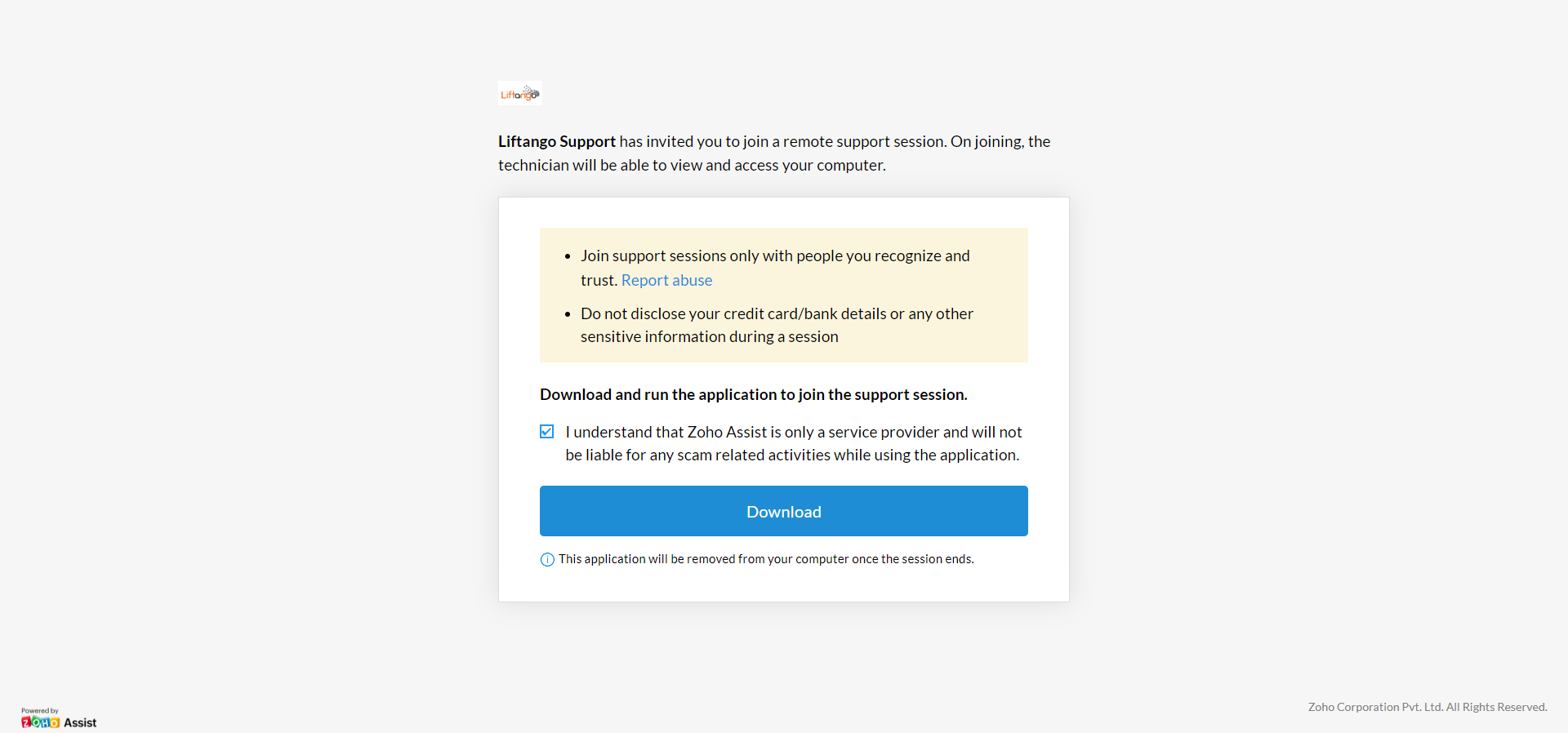
You would then be asked to download the Zoho app. Tick the checkbox and click Download.
This is what it should look like upon clicking "Download".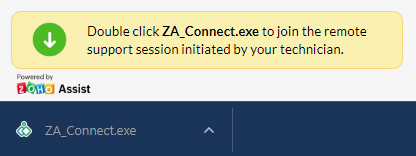
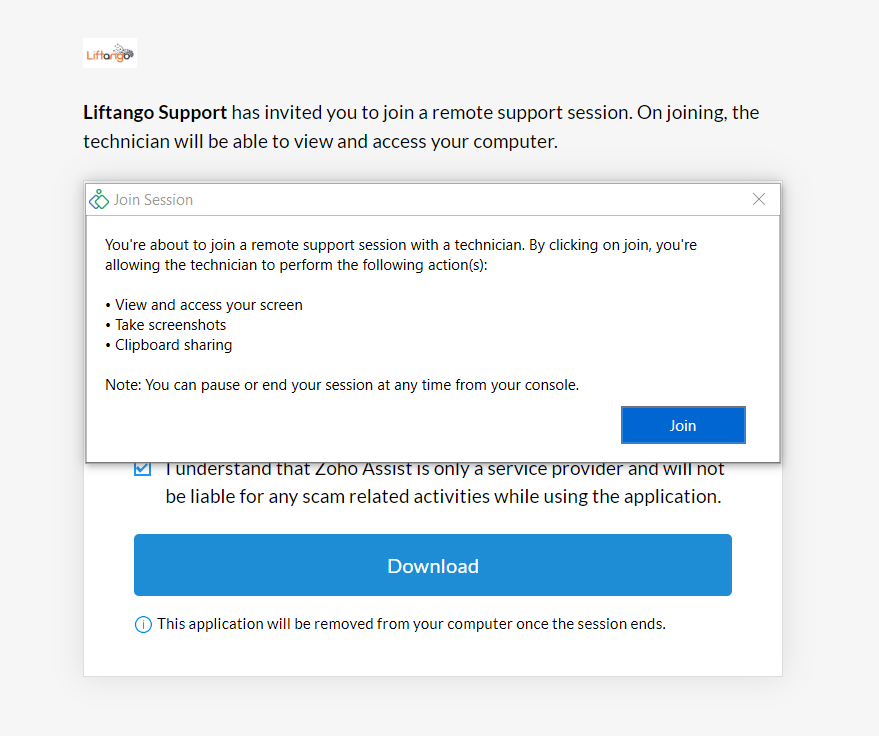
4. Consent:
Upon opening the downloaded application, this window will be prompted. Click Join.
5. Screen session started:
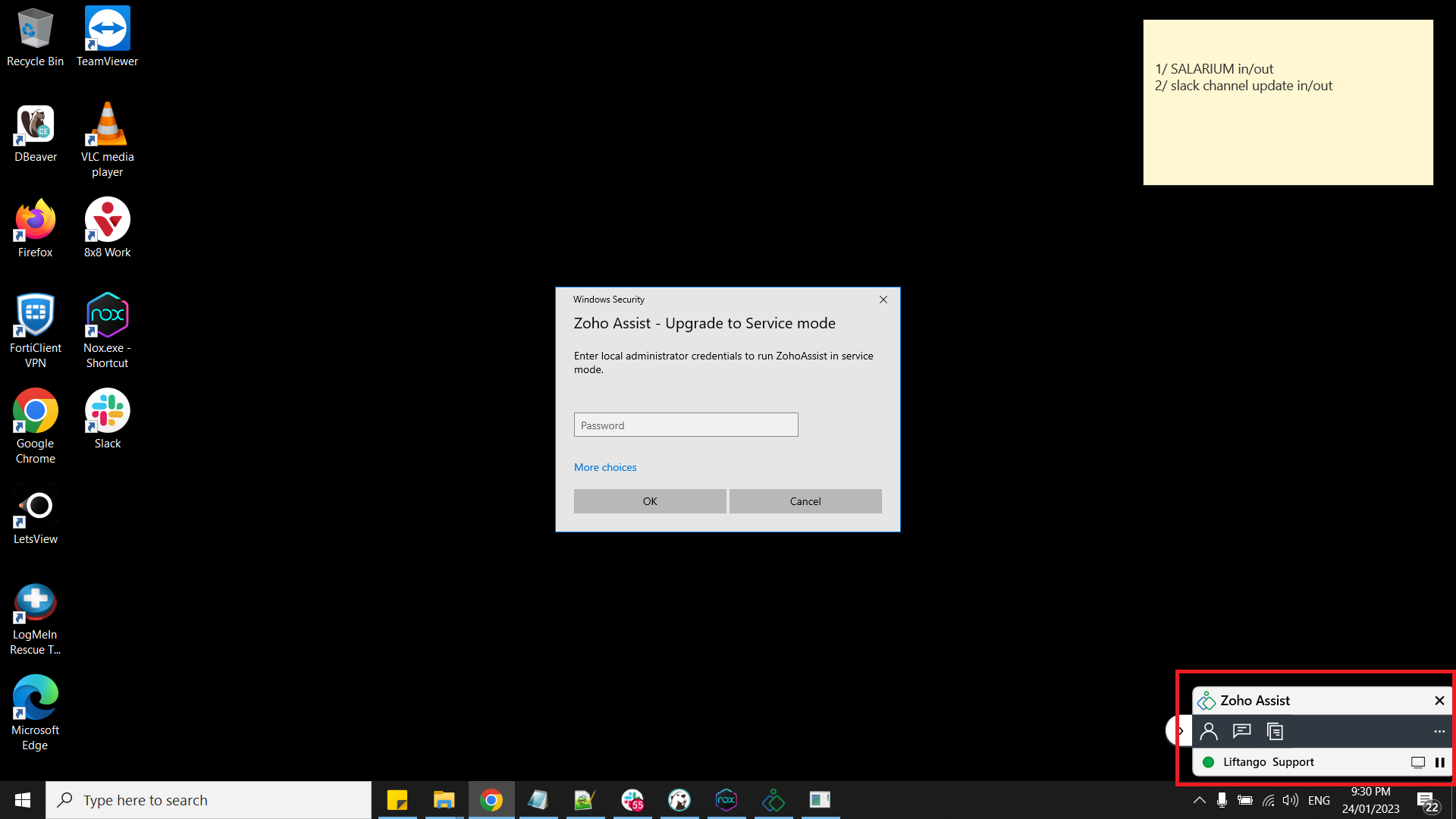
Once the screen session is happening, the small window on the bottom-right will appear. If that appears, it means that the technician is already viewing your screen.
Note: Pressing the pause button appearing in the screen causes the screen sharing session to freeze.
Setting up Zoho Assist for mobile:
| Steps | Screenshot |
1. Download the Zoho Assist App. | 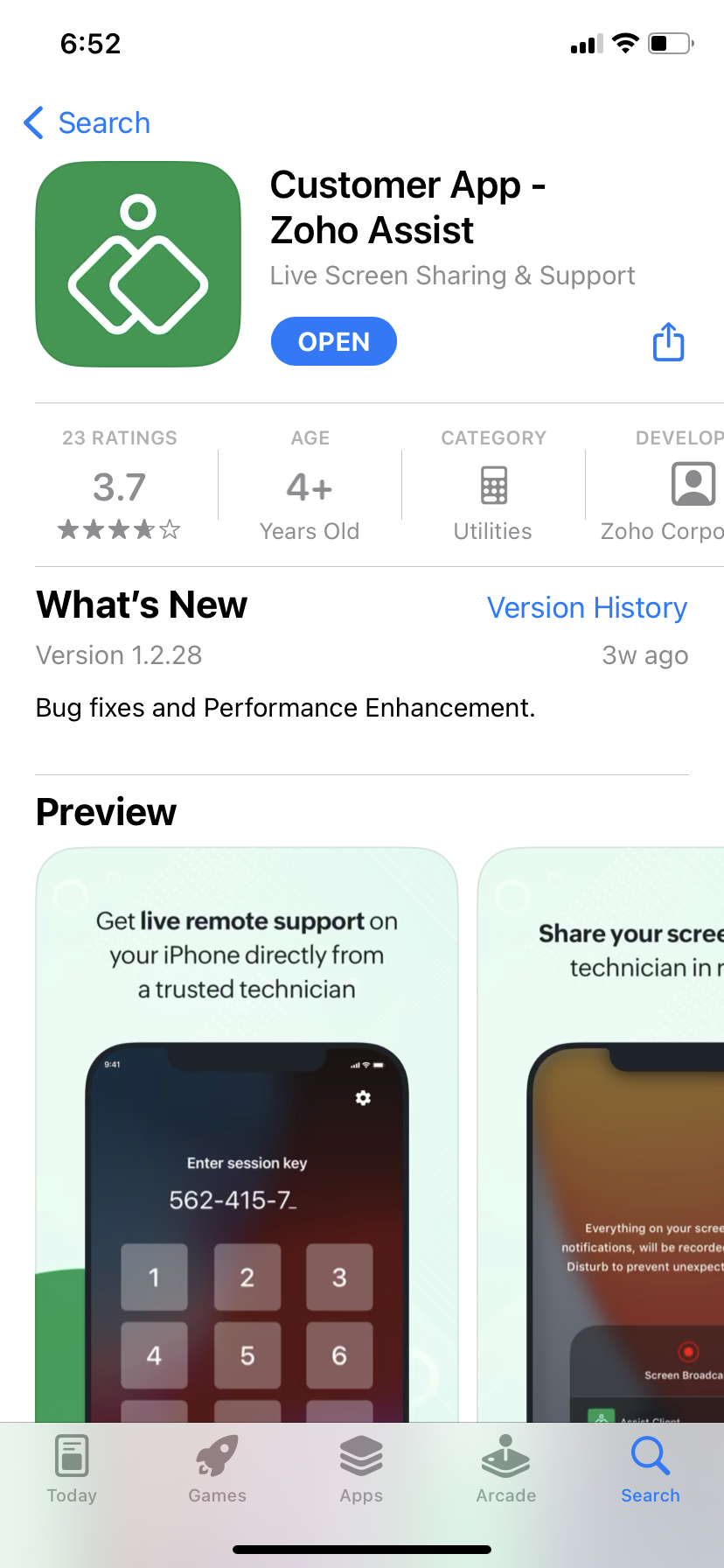 |
2. Open the application once downloaded and enter the session ID as provided by the technician. | 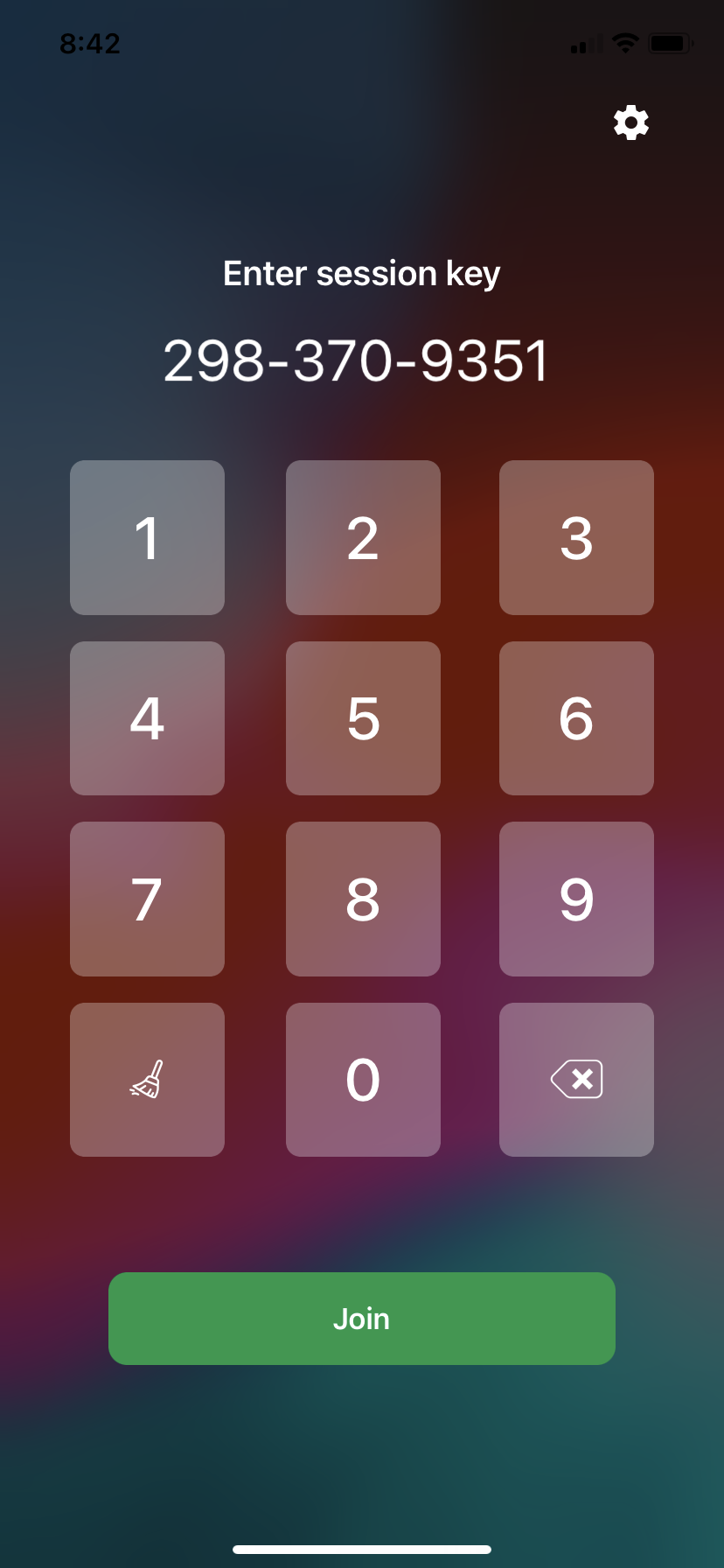 |
3. Click “Start Session” and allow the prompt as displayed in the screen. | 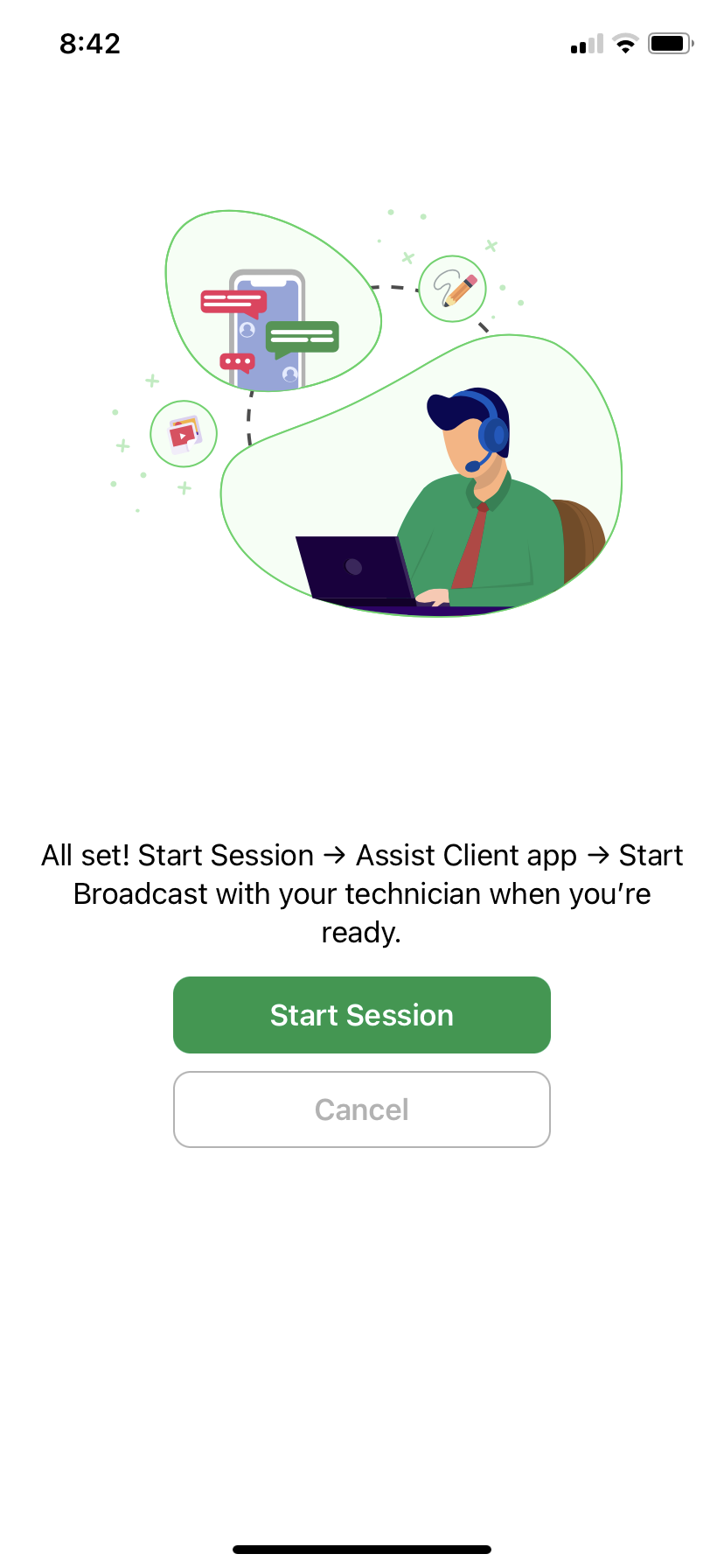 |
4. Take note and understand the security alert. Once understood, tick the check box and click “Allow access”. | 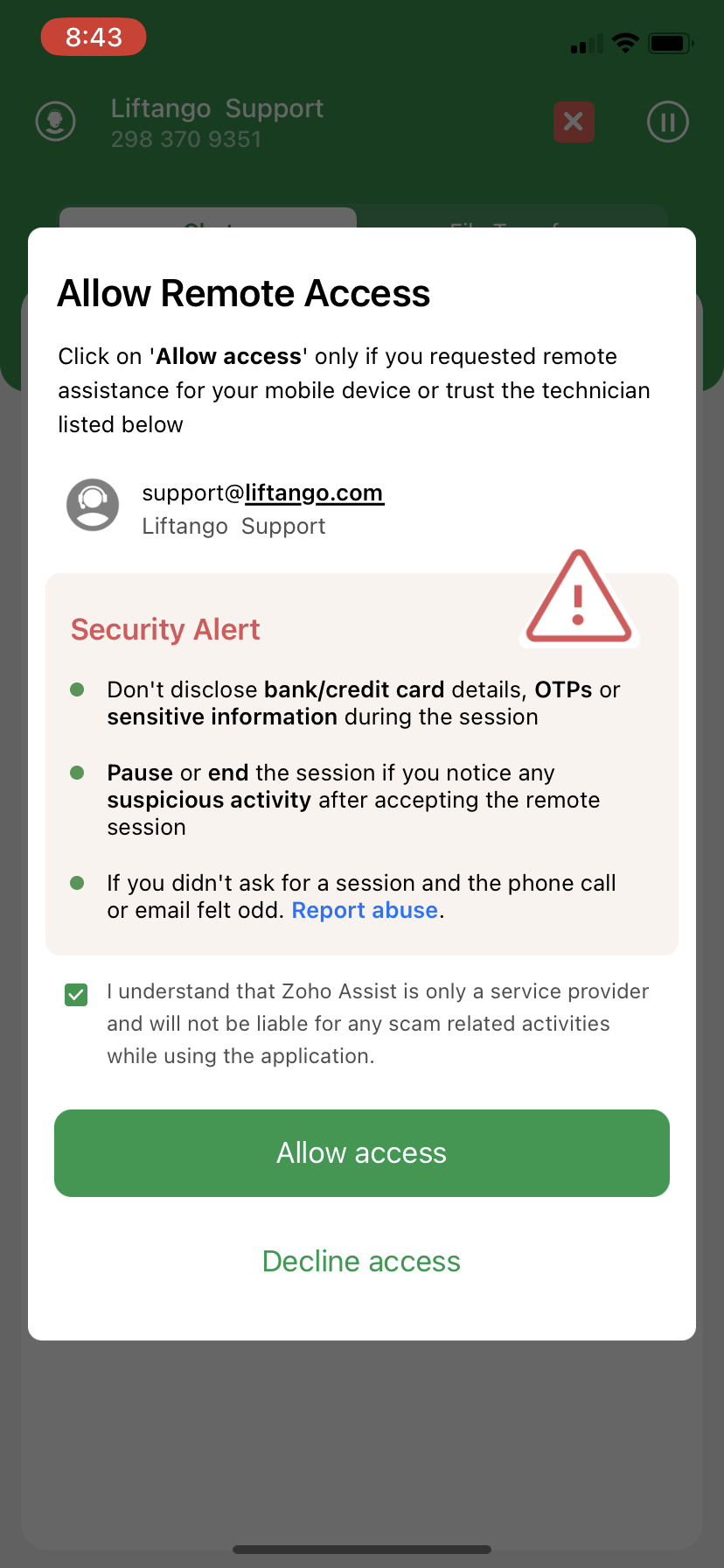 |
5. Once the red X mark on the top right corner, you are now successfully showing your screen and you may begin troubleshooting with the customer. | 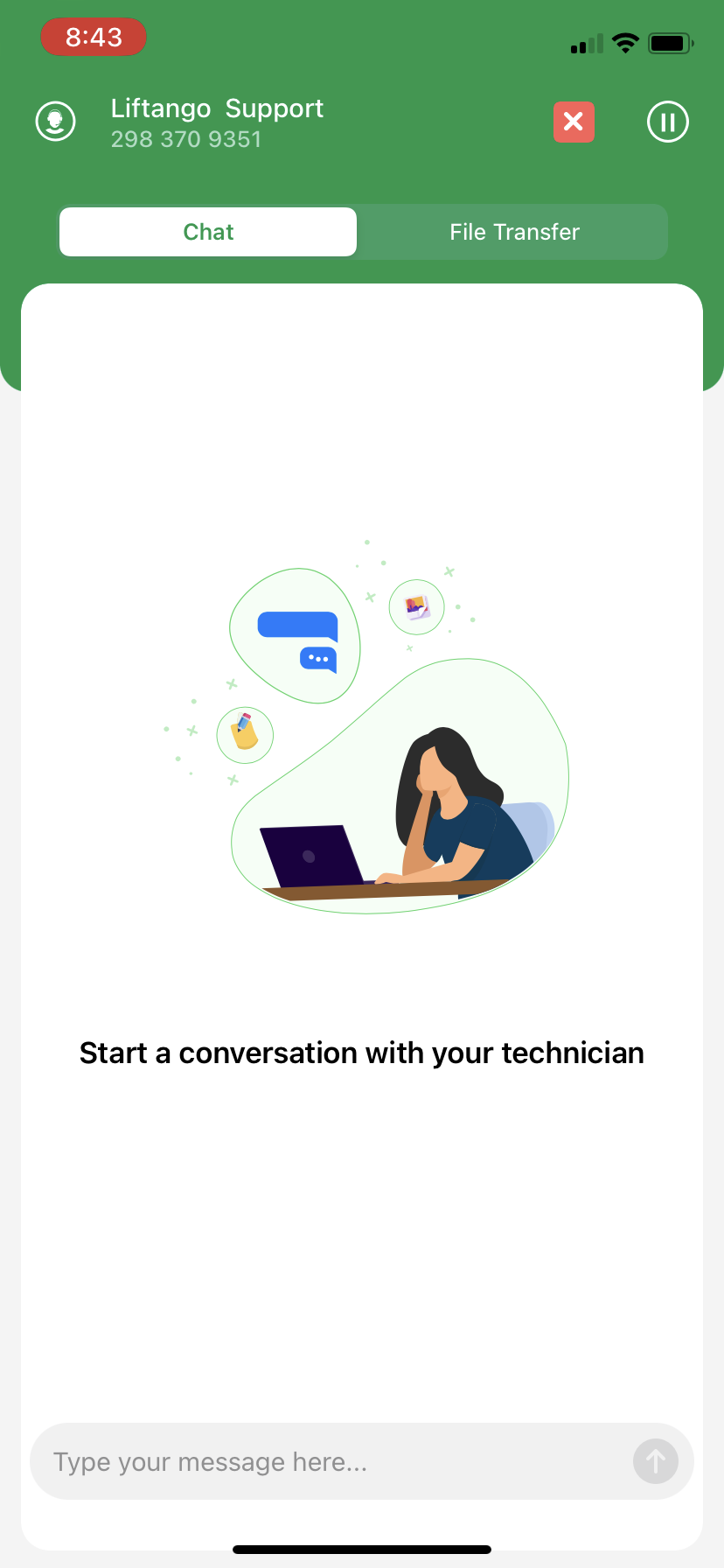 |