How to manage Carpool Vehicles in the Admin Portal

Modified on Thu, 26 Feb at 10:52 PM

In carpooling, drivers add vehicle information to their account to assist with matching based on capacity (the number of seats) with the number of passengers in the request and also to provide an image of the vehicle. 


Users can manage their vehicle in the carpool app - see Manage My Vehicle using the Carpool App.


The details below show how an administrator could help out a user from the admin portal.


Tutorial on how to add a vehicle to the user account.

7 STEPS

1. Click anywhere to start the tutorial. You can use the magnifying glass icon to zoom in/out if needed.

Step 1 image

2. In the Admin Portal, click on the Users tab.

Step 2 image

3. Click the Add new User from the Users tab.

Step 3 image

4. Fill up the form for the new user including the vehicle details: Make, Model, Rego, Year, Fuel Type, Seats and Vehicle Image.

Step 4 image

5. Click Add New User to complete the creation of user.

Step 5 image

6. To view the vehicle information, click on the Vehicles option from the user's information.

Step 6 image

7. Finish tutorial.

Step 7 image


Tutorial on how to edit an existing account to add a vehicle.

6 STEPS

1. Click anywhere to start the tutorial. You can use the magnifying glass icon to zoom in/out if needed.

Step 1 image

2. Click Edit User to add the vehicle details.

Step 2 image

3. Fill up the form for the existing user with the vehicle details: Make, Model, Rego, Year, Fuel Type, Seats and Vehicle Image.

Step 3 image

4. To view the vehicle information, click on the Vehicles option from the user's information.

Step 4 image

5. Vehicle details will be listed in the Vehicle page.

Step 5 image

6. Finish tutorial.

Step 6 image

Here's an interactive tutorial

** Best experienced in Full Screen (click the icon in the top right corner before you begin) **

https://www.iorad.com/player/1886379/Vehicle-Registration---Edit-user-to-Add-Vehicle


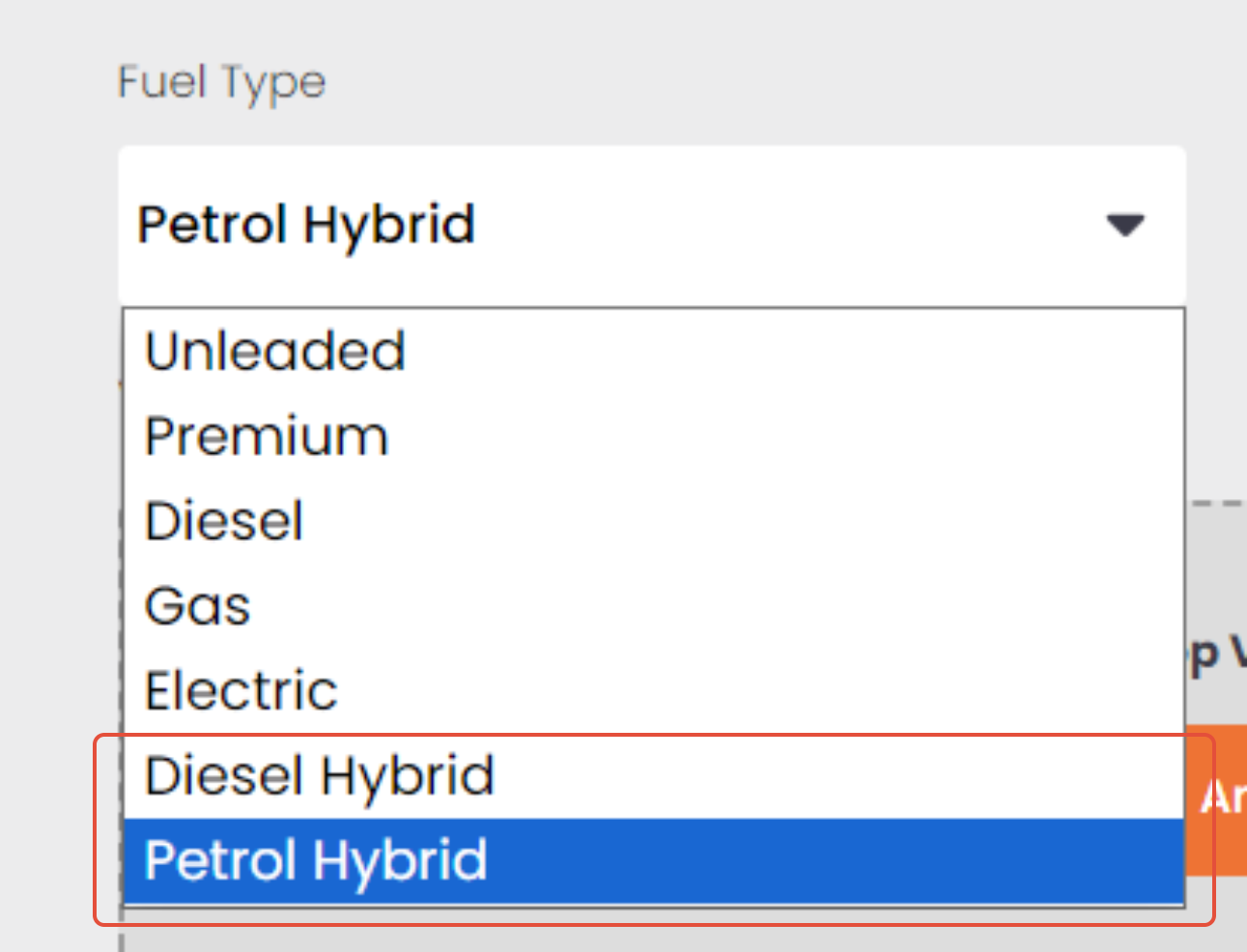
Note: From recent updates, there is now an additional fuel type included. These are the Diesel Hybrid and Petrol Hybrid.

Was this article helpful?

That’s Great!

Thank you for your feedback

Sorry! We couldn't be helpful

Thank you for your feedback

Let us know how can we improve this article!

Select at least one of the reasons
CAPTCHA verification is required.

Feedback sent

We appreciate your effort and will try to fix the article