Being able to provide our clients with the best customer support experience is a priority at Liftango. If you encountered any issues in either mobile app or portal, this page will help you get assistance from the Support Team.
CHANNELS TO REACH THE SUPPORT TEAM
- Email - support@liftango.com
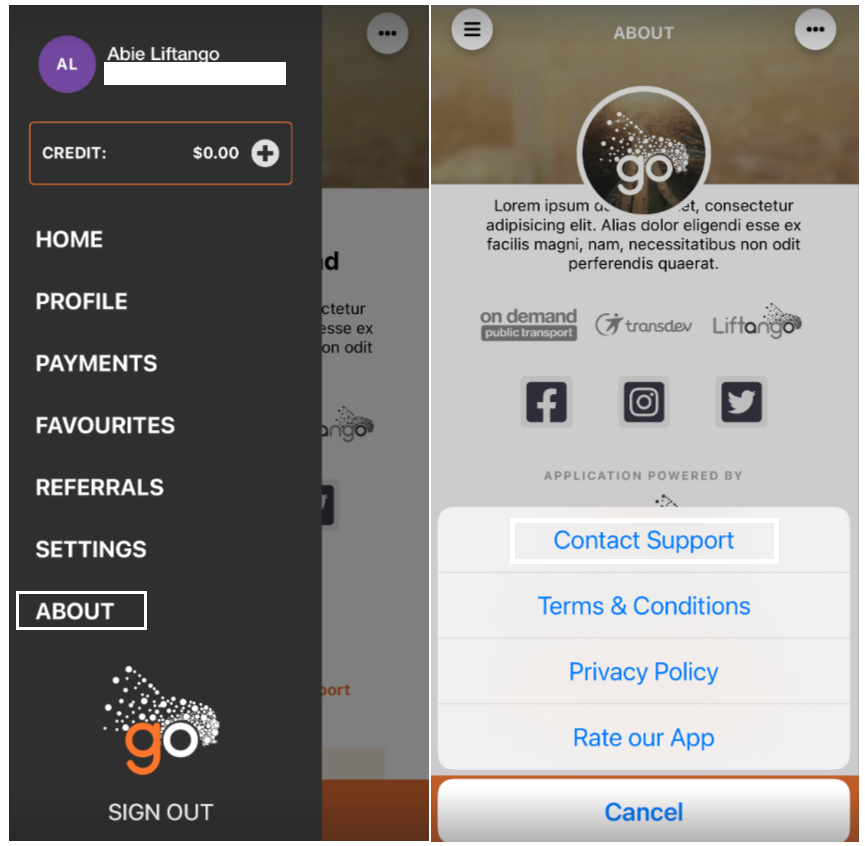
- Mobile app
- About > SendFeedback
- About > Contact Support
About > Send Feedback About > Contact Support 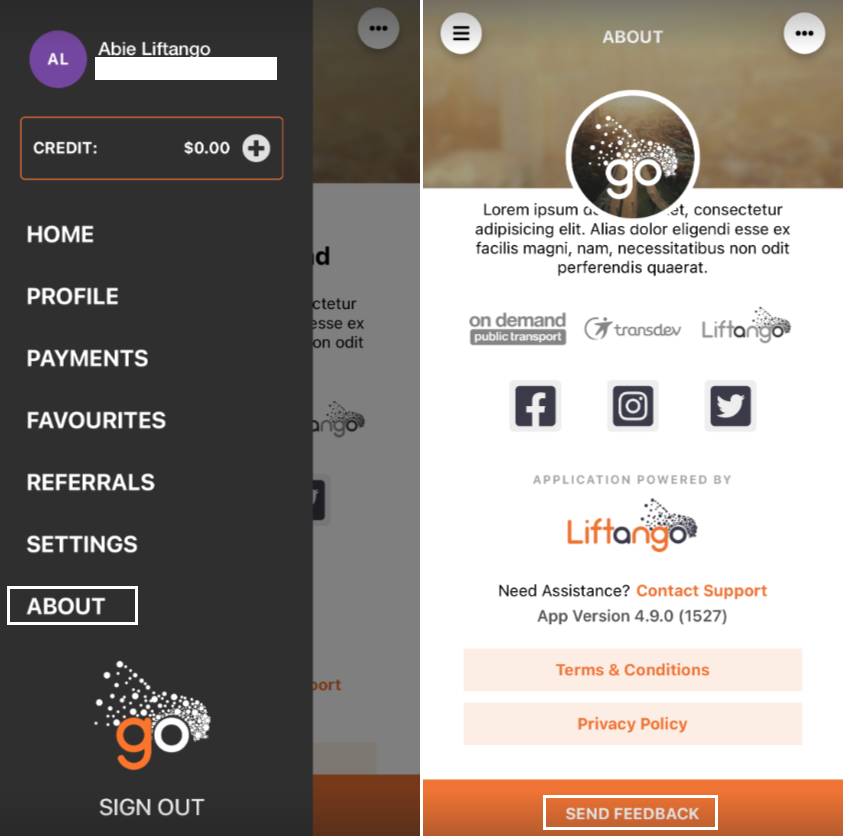
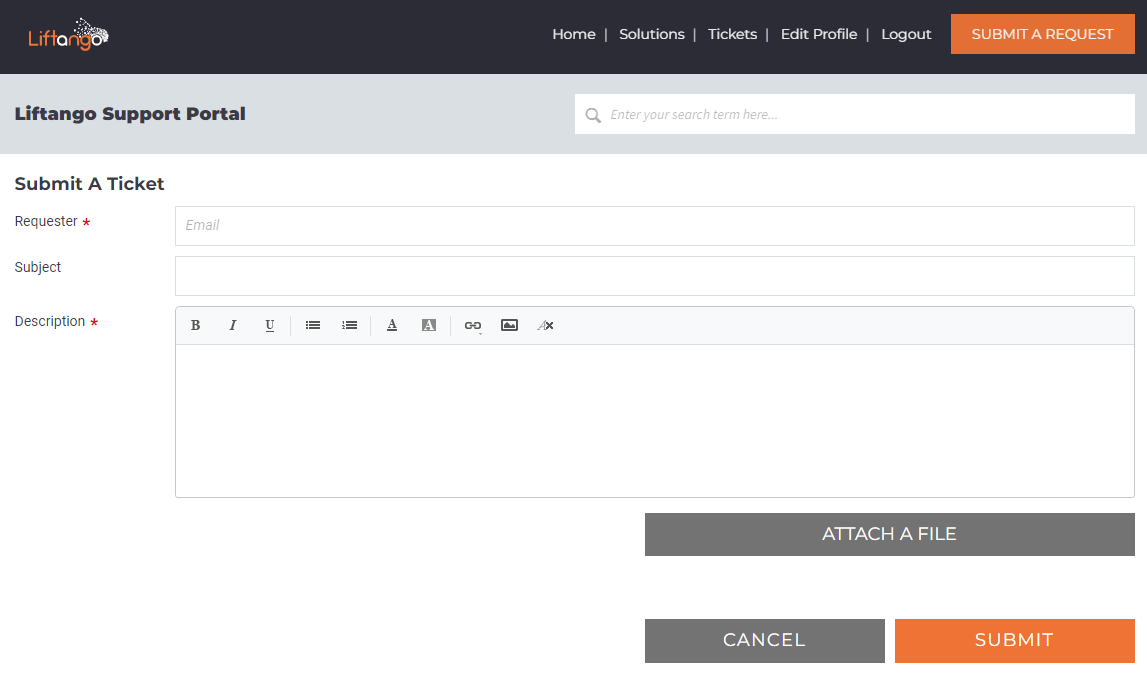
- Support Portal
- Carpool → https://support.liftango.com/support/tickets/new
- ODB/Fixed Route → https://ondemand.support.liftango.com/support/tickets/new
NOTE: It is important to provide a clear context of the issue for a faster turnaround of the Support Team. Below is the guide for in reporting issue and change request.
REPORTING ISSUE/S
Issue - Error encountered while using either portal or app. The Support team needs the following information to further investigate the issue and come up with a solution:
- Platform - Mobile app or Portal (Admin/Operations)
- URL link - Link from the Operations Portal e.g. ride details, shifts etc.
- Screenshot of the current versus expected scenario - Be aware of PID/PII (personal identifiable data/personal identifying information). Kindly cover it from the screenshots that will be provided.
- Steps taken - Provide the step/s to help the support team in replicating the issue as part of the investigation.
- Workaround (if applicable) - If there's a temporary fix used to resolve the current situation.
Example:
"Hi Support Team, I've encountered issue today where I can't book a ride via portal for this user <insert user name>. Here are the screenshots of the shift and the errors: <insert screenshots where PII was covered, user details link from Portal, etc.> I was able to book his rides yesterday but wasn't able to book one today. I tried asking help from other operators but no luck."
REQUESTING FOR CHANGE/S
Change - Major or minor adjustment of the current situation of the portal/app. The Support team needs the following information to further investigate the issue and come up with a solution:
- Current versus expected scenario - Give a description of the what to solve. Provide the current situation of the mobile app / portal and explain what was needed for change.
- Dates to be considered - Any dates to be taken into consideration (implementation date etc.).
- Workaround (if applicable) - If there's a temporary fix used to resolve the current situation.
Example:
"Hi Support, requesting assitance if someone could check this ride <insert ride id> from this shift <insert shift details>. User 1 booked on this address last week but he dropped off at the wrong location <povide address or ride detail screenshot. Ensure to remove PII>. I booked his ride for today and it happened again. I checked other users using the same address and it turns out that other users are experiencing it too.  Could you check on this and provide a workaround?"
Was this article helpful?
That’s Great!
Thank you for your feedback
Sorry! We couldn't be helpful
Thank you for your feedback
Feedback sent
We appreciate your effort and will try to fix the article