CELLOPARK
CellOPark offers a modern and convenient way to pay for parking using a smartphone instead of a traditional parking machine. Parking sessions can be started and stopped directly from any internet-connected device, ensuring payment only for the actual time parked. Registered account details are securely stored, allowing for faster transactions without the need to search for coins or locate a functioning parking machine.
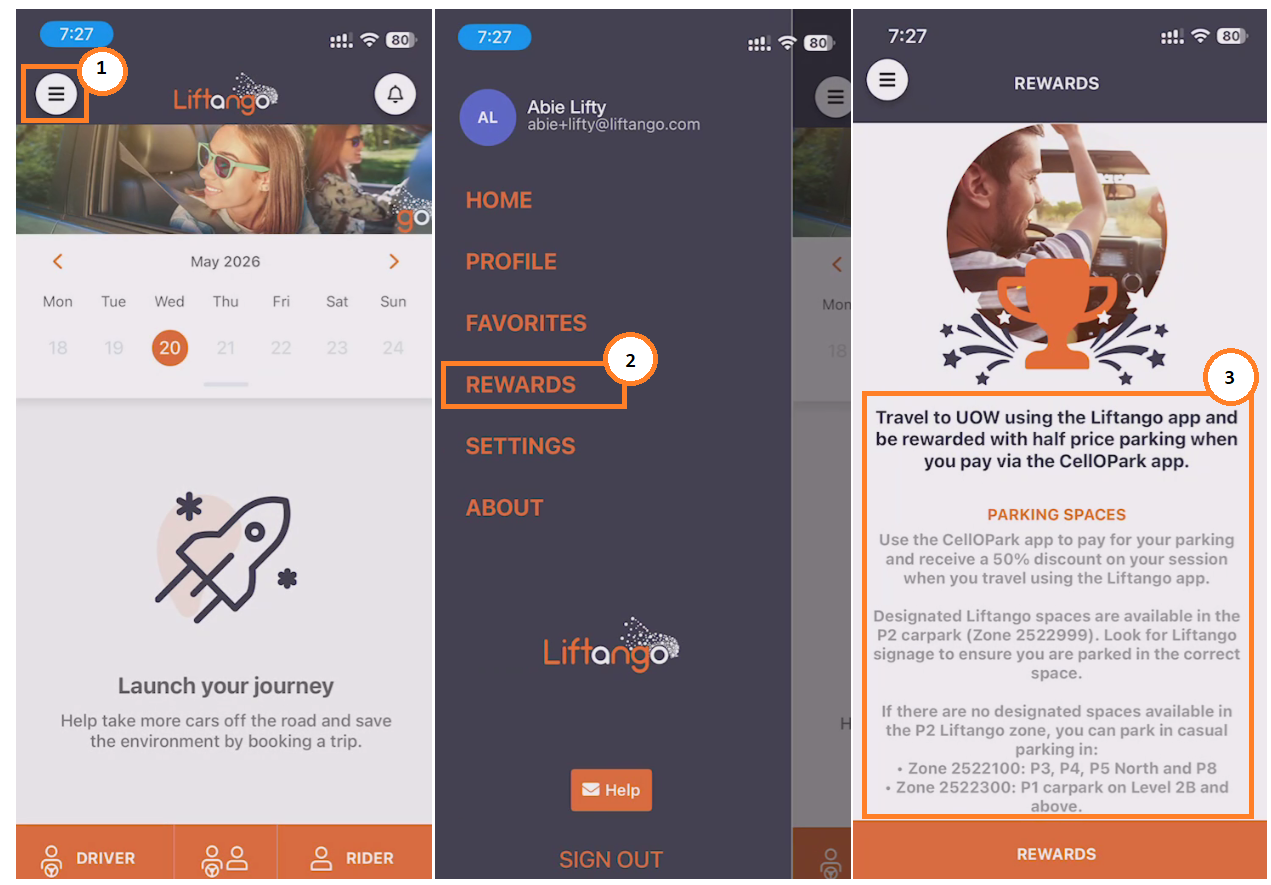
Some networks/organisations use CelloPark for parking management — please verify with the relevant organisation whether CelloPark is in use at the site. Carpool participants may be eligible for discounted or free parking through CelloPark, with the discount applied automatically once the carpool trip is validated.
CELLOPARK TROUBLESHOOTING
If a user is experiencing difficulty in CellOPark, several steps can help confirm the parking space before starting a parking session:
Visit the organisation’s website for parking and program information.
Check the Rewards section in the mobile app for organisation-specific guidelines.
Review the CellOPark website for additional parking information and support resources.
- Important: Vehicle Registration Must Match
- The vehicle registration (plate number) must match in both the carpooling app and the CelloPark app. If the plate numbers do not match, the carpool parking discount will not be applied. Please also note that editing the plate number in the carpooling app after a ride has been created will prevent the discount from being applied for that trip.
- Parking Fees & Discount Issues
- If issues are being experienced with parking fees or discounts not being applied, please check the following:
- Confirm that the vehicle registration (plate number) is identical in both the carpooling app and CelloPark.
- Ensure the carpool trip has been validated — the discount is only applied after the passenger has been picked up and the trip has been verified.
- Check that parking is being used in the correct zone — discounts only apply in designated carpool zones within the organisation. Please refer to the organisation’s parking information for the correct zone details.
- If issues are being experienced with parking fees or discounts not being applied, please check the following:
- Important: Vehicle Registration Must Match
- For any parking-related issues including incorrect fees, missing discounts, or problems with the CelloPark app, please contact CelloPark support directly. Provide the following details to help the support team investigate the issue more efficiently:
- Full name
- Contact number
- Vehicle registration number (rego)
- Date and time of the ride or parking session
- Parking location or parking zone number (if available)
- A brief description of the issue experienced
Email: support@cellopark.com.au
Website: Contact CellOPark Australia
CELLOPARK APP OVERVIEW
REFERENCES
If there are any questions or concerns, please log a ticket through the Liftango Support Portal for further assistance.
Was this article helpful?
That’s Great!
Thank you for your feedback
Sorry! We couldn't be helpful
Thank you for your feedback
Feedback sent
We appreciate your effort and will try to fix the article