Overview
Clusters bring multiple networks together, enabling ride matching between users from different networks. This feature is especially useful for companies/organisations with cooperating locations that have multiple networks in the same area.
Applicability
This feature is available for companies or organizations with a multi-network setup and can be activated upon request by an admin, depending on the service scenario.
How It Works
Imagine this: User A works at Company A, and User B works at Company B. Both companies are partners with Liftango carpool services. Even though they belong to different companies, they can still find each other and share rides through the carpool app if the network cluster feature is enabled.
Enabling Cross-Network Matching
To match with carpoolers from other networks, users need to follow these steps:
- Open the app and go to the "Edit Profile" section.
- Toggle on the "Match trips with people from outside my organization" option.
This will allow users to connect with a wider network of carpoolers, enhancing the flexibility and convenience of their commutes.
Click here for more information on the guidelines for basic carpooling.
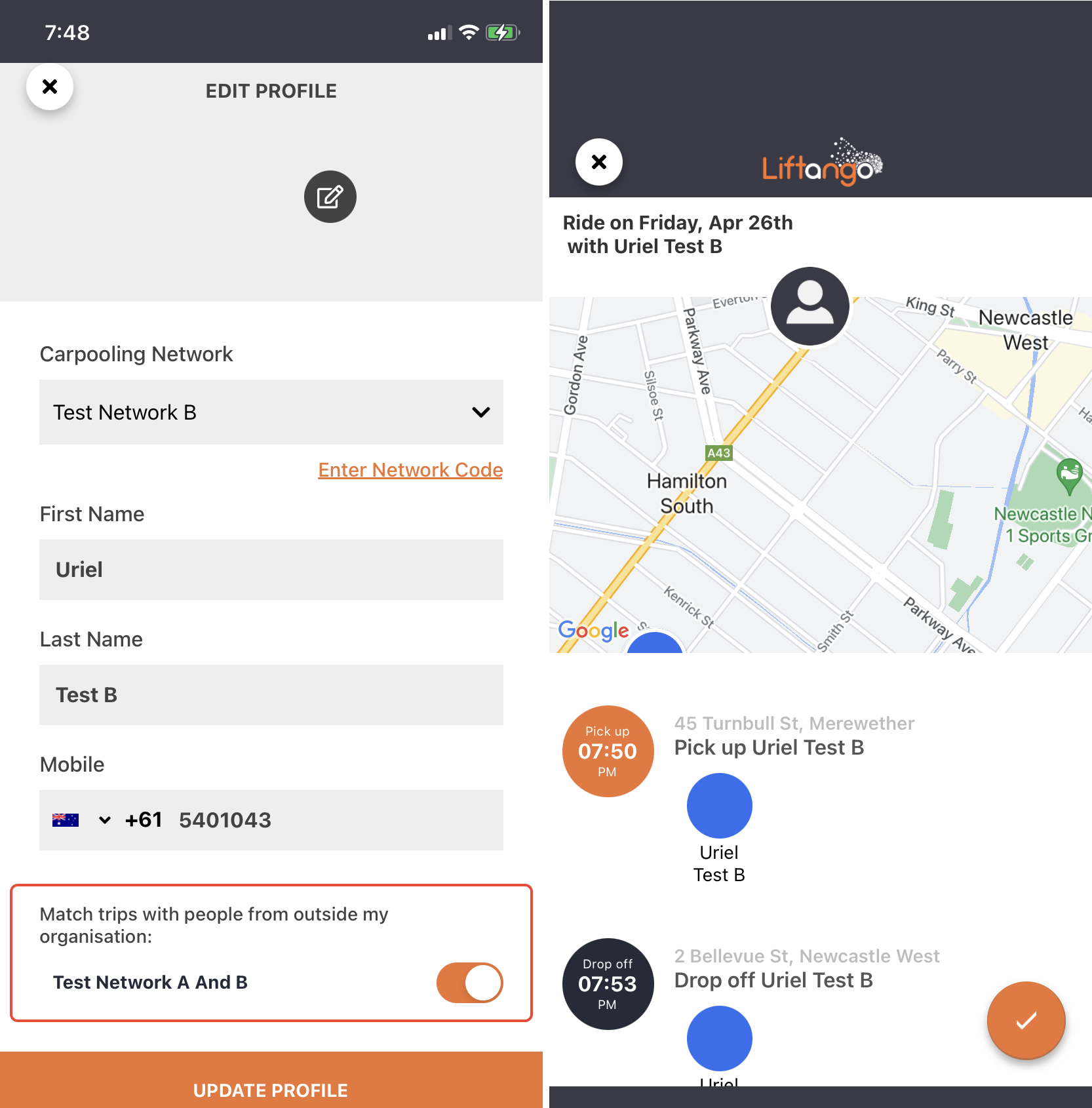
In this example, Uriel Test A is under Test Network A while Uriel Test B is under Test Network B. Ticking the box would allow both users to match a public ride.
Adding Extra Passengers
Users within a network cluster can also add extra passengers, similar to how they would in a regular carpool ride. For more information on how to add extra passengers, please visit this article tutorial: Extra Passengers Guidelines.
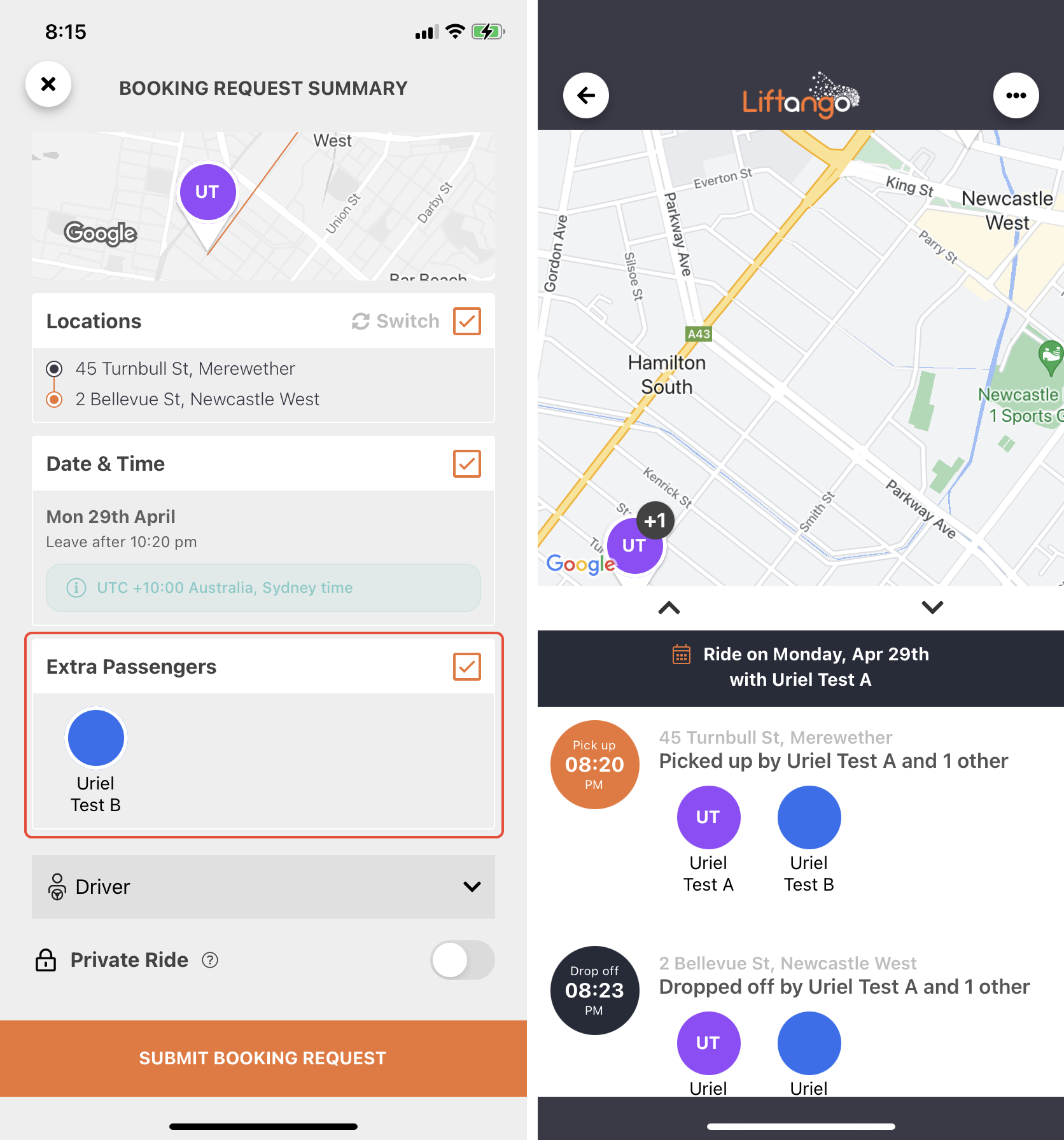
By using the network cluster feature, carpoolers can enjoy a more extensive pool of potential matches, making it easier to find convenient and efficient ride-sharing options.
If there are any questions or concerns, please refer to the service's website or select 'Send Feedback' or Contact Support in the 'About' section of the mobile app for further assistance.
Was this article helpful?
That’s Great!
Thank you for your feedback
Sorry! We couldn't be helpful
Thank you for your feedback
Feedback sent
We appreciate your effort and will try to fix the article